Battery Low Warning on SmartFlow Controller
If your SmartFlow controller displays a Battery Low warning, this indicates that the date/time backup battery on the main circuit board is low and needs to be replaced.
Steps to Resolve
- Power off the SmartFlow controller and disconnect it from power.
- Open the enclosure to access the main circuit board.
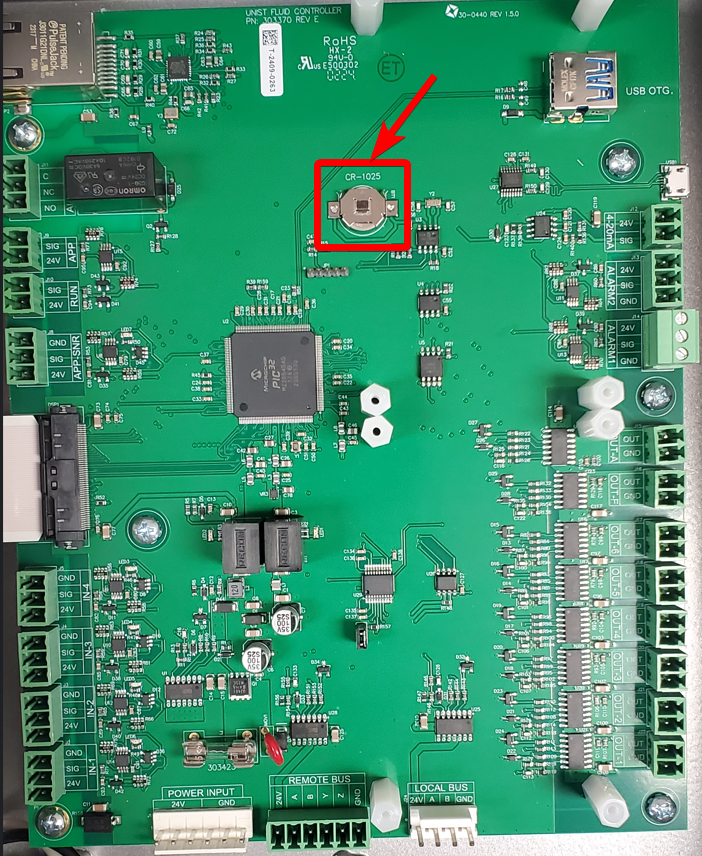
- Locate the backup battery on the main circuit board.
- Replace the battery with a standard CR-1025 battery.
- Close the enclosure and restore power to the controller.
- Acknowledge the warning on the controller display.
- Confirm that the battery low warning is cleared on the display.
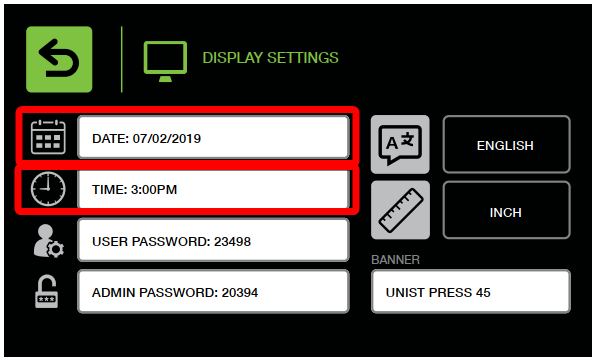
- Go into Settings - Display Settings - update the date and time