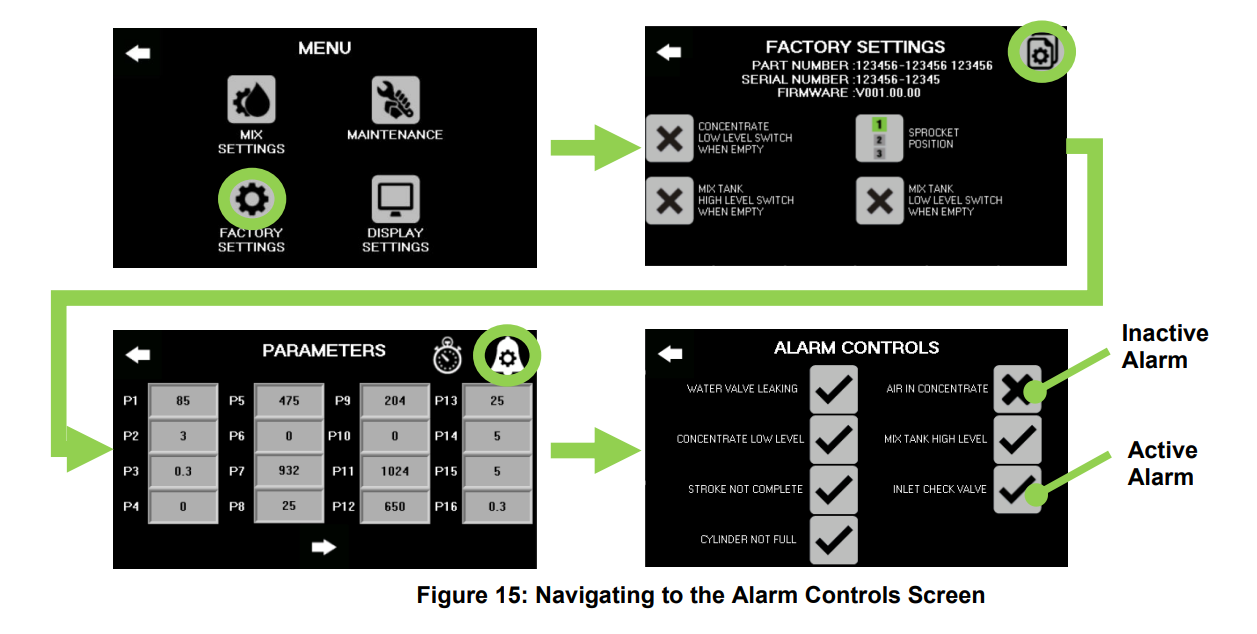
How to disable a Vortex™ alarm.
To turn a stopping alarm on or off navigate to the alarm controls screen. From the Menu screen, go to the Factory settings screen and then to the parameters screen. From there, press the alarm icon to go to the alarm control screen. In this screen, the check mark refers to an alarm that is enabled. If the alarm needs to be disabled, press the check mark next to the alarm and an X will appear. The X symbolizes a disabled alarm. Unist does not recommend disabling any alarms.