How to wire a Mini-Roller™ or Vertical Mini-Roller™ rotation sensor.
The Mini-Roller™ rotation sensor is a reed switch that provides a dry contact output. When a magnet passes the sensor, the internal reed switch closes, creating an input signal to a controller.
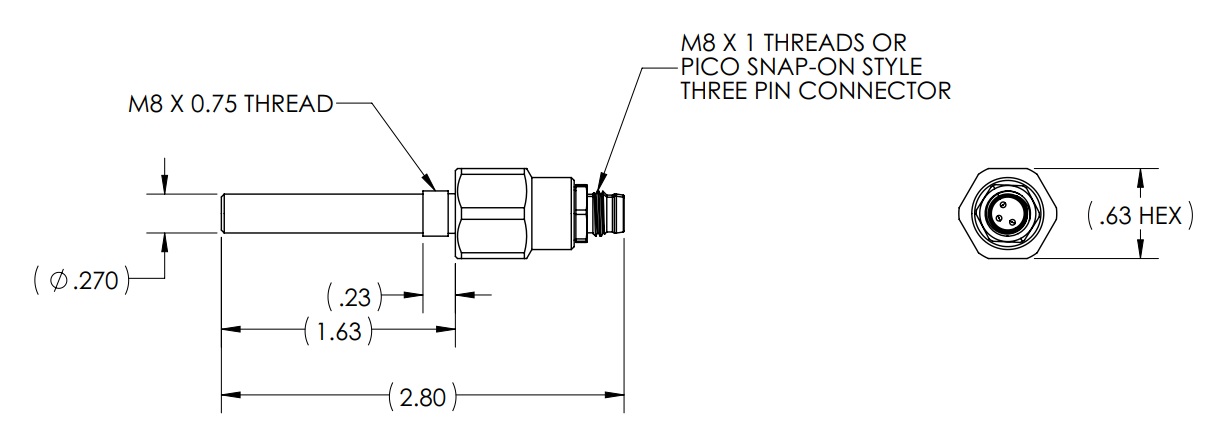
The new sensor with a brass body is designed to accept either a thread-on M8 cable or a three-pin Pico snap-on connector, making it compatible with both current and older systems. The old sensor has a plastic body and can only be used with the Pico snap-on connector.
Although the cable contains three conductors, only the black and blue wires are used. Connect the black wire and blue wire to the controller as required for your application. The brown wire is not used and should not be connected to a controller.
Connecting the sensor to a controller
SmartFlow:
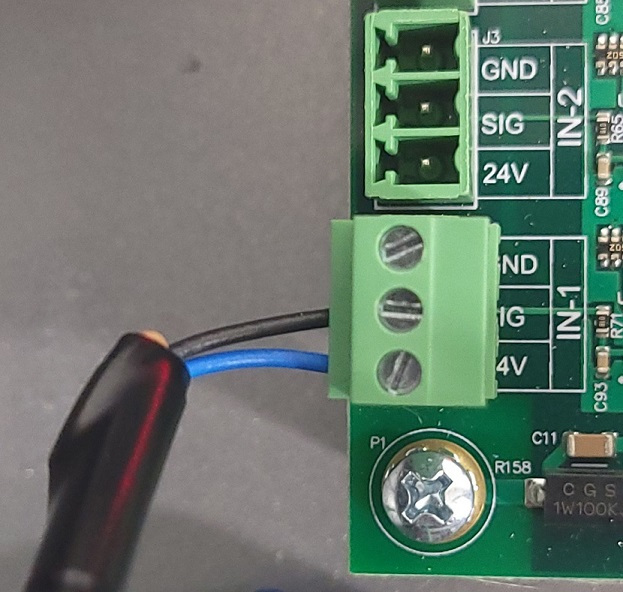
The sensor cable can be wired to any of the SmartFlow® controller Cycle Inputs (1-4). Connect the black wire to SIG and the blue wire to 24V for the selected input, as shown below:
DUO:
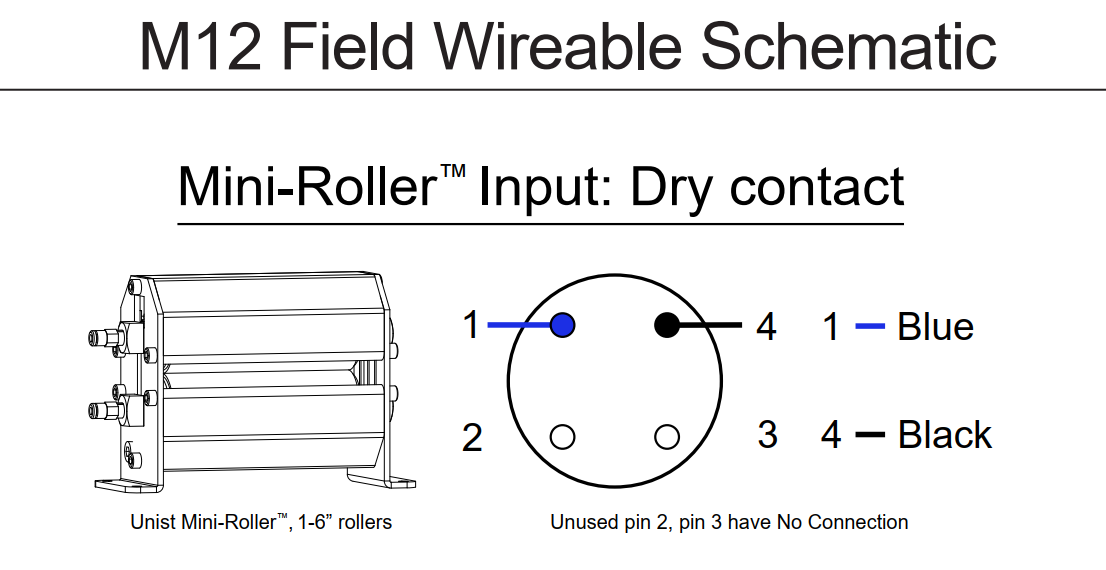
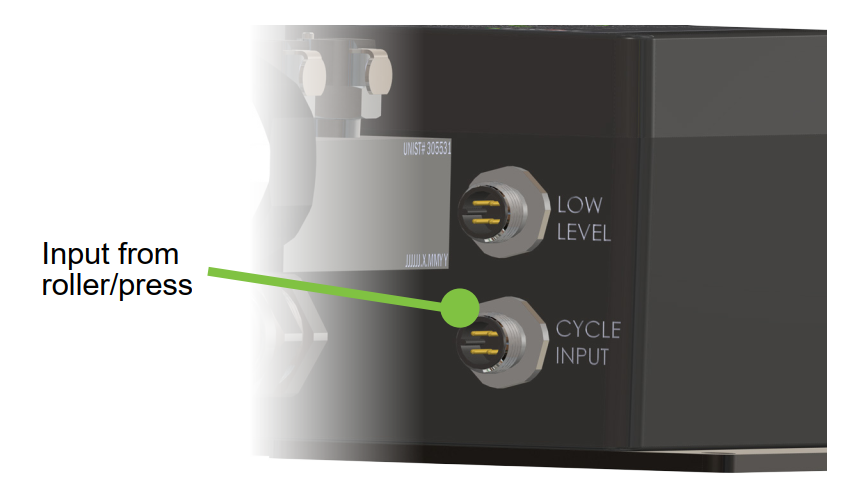
The sensor cable will be wired into an M12 field-wireable connector that will connect to the Cycle Input on the Duo as shown below: