How to Export Job History from the SmartFlow Controller to a .csv File
To export Job History from the SmartFlow controller into a .csv file:
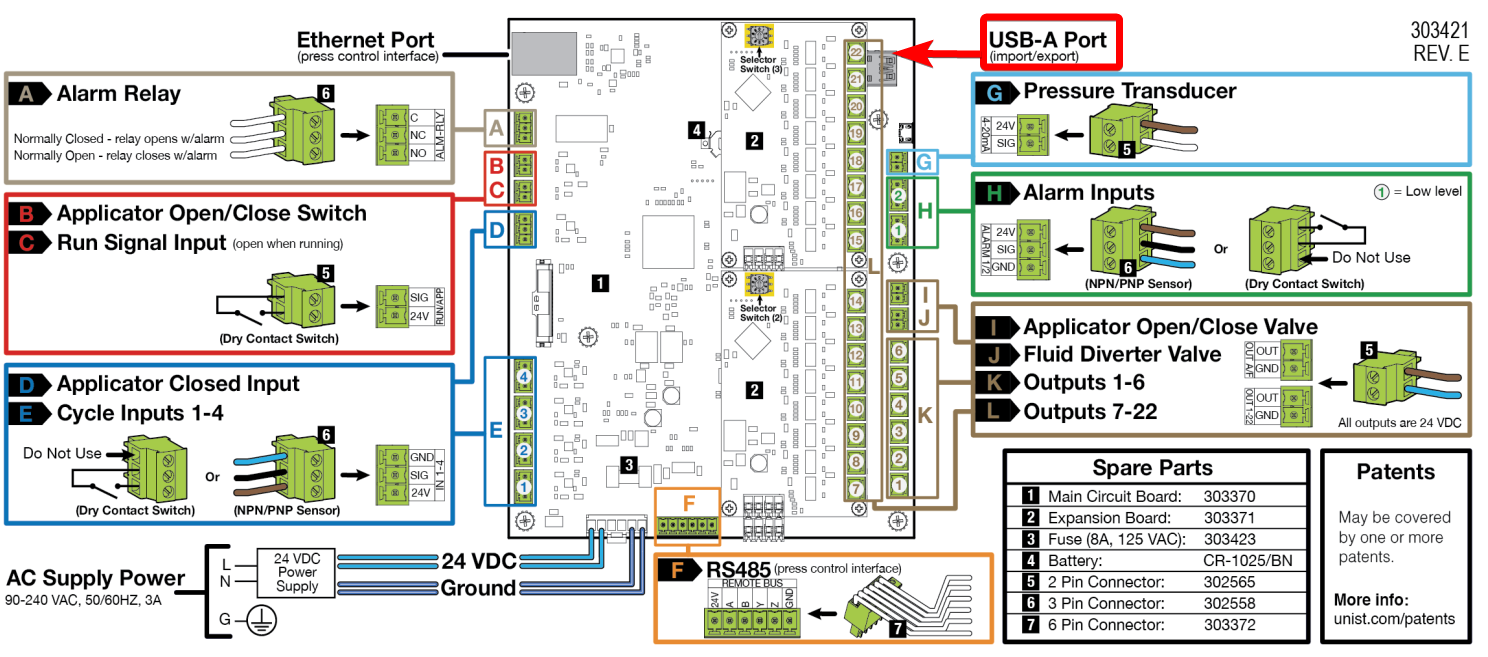
Insert a USB flash drive into the USB-A port on the main board of the SmartFlow controller. The flash drive must be formatted as FAT32, less than 32GB, and unpartitioned for proper recognition.
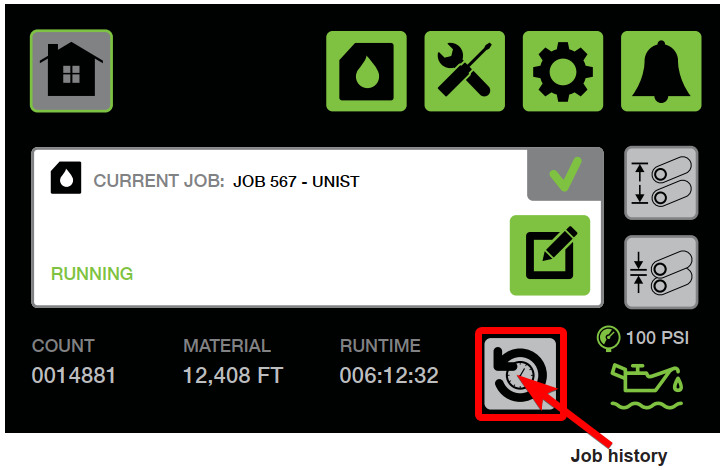
- Navigate to the Job History screen on the SmartFlow controller.
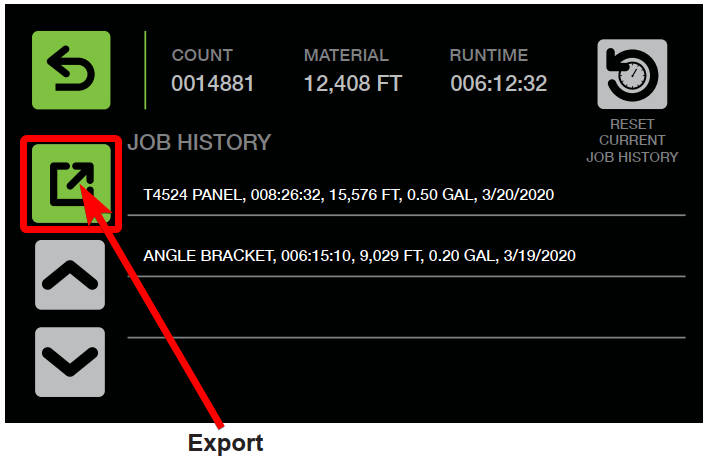
- With the USB drive inserted, press the Export button. The controller will export the Job History to the USB drive as a .csv file.
- Remove the USB flash drive from the main board and insert it into a computer.
- Navigate to the USB flash drive and select the Unist folder.
- Locate and select the JobHistory file to view the exported data in Microsoft Excel.
The Job History will include the following information:
- Job name
- Amount of time the job was run
- Distance of material run
- Fluid amount used (only if Advanced Fluid Tracking was purchased as an option)
- Date
Note:
The fluid amount used will only appear in the exported file if the Advanced Fluid Tracking option is enabled on your SmartFlow controller.